STEPSECURITY, 2025
Redesigning the Insights Page: Turning Security Logs into Human Friendly Stories
Team
1 Designer
2 Founders
1 FrontEnd Engineer
2 Backend Engineers
Timeline
Nov 2024 - February 2025
Problem & Context
What does StepSecurity do?
StepSecurity is a cybersecurity startup that protects CI/CD pipelines, the automated systems developers use to test and deploy code. It monitors these pipelines to prevent malicious attacks or unauthorized actions.
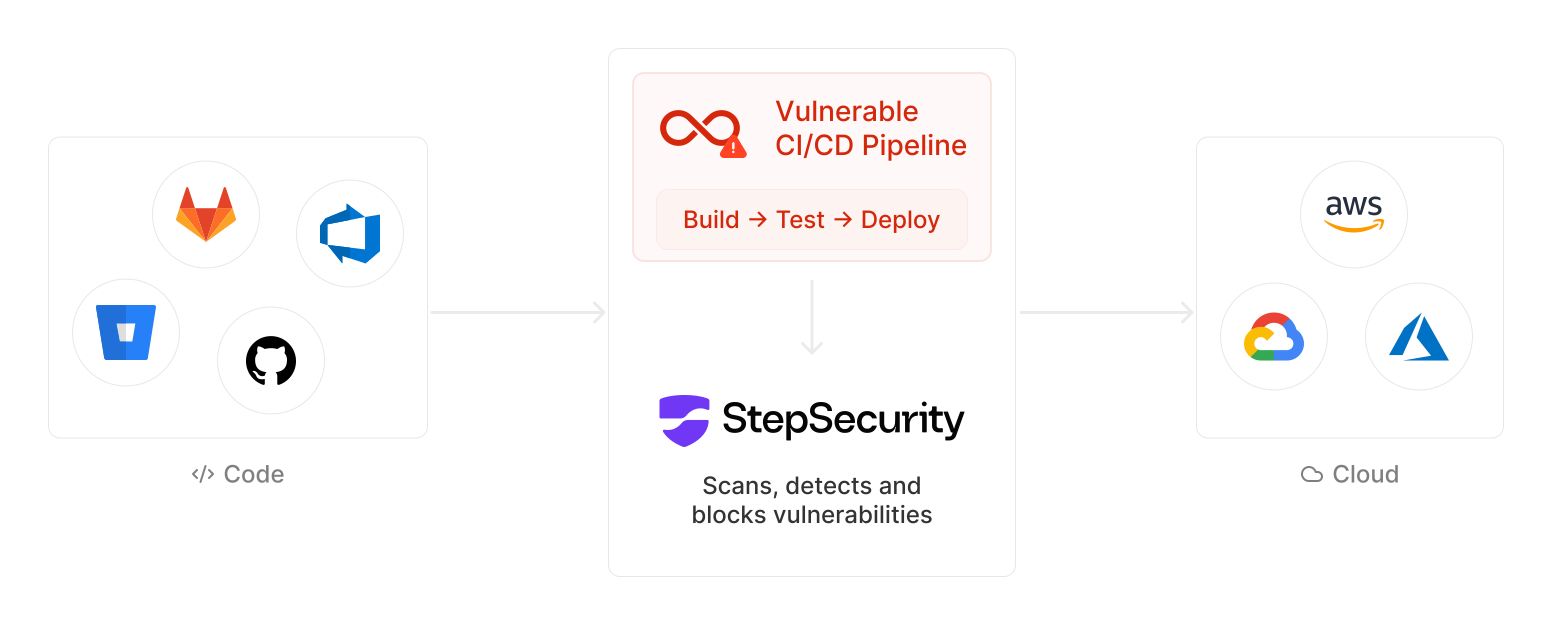
So, how does it work?
When the users add the StepSecurity Harden runner to their CI/CD workflow file, our enterprise customers and community users (mostly GitHub developers and DevOps folks) would land here via open-source pages or GitHub markdown to understand what is happening in their workflow file. It was meant to provide visibility into what was happening inside their workflows where network calls were going, what was being accessed, and whether anything was blocked.
At least, that was the idea...

Problem?
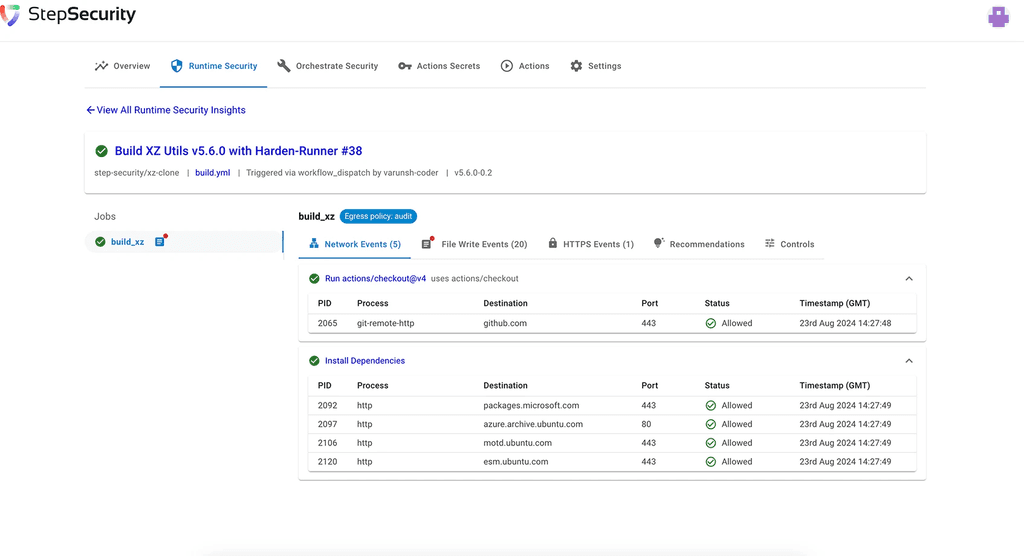
The founders used to do product demos and engage with users regularly, but when I started working this project founders told me that users are getting confused with the Insights Page. Can you help us make it more usable?, during demos the customers would say
“Is this telling me something went wrong? Or is this normal?”
“This kinda looks like logs.”
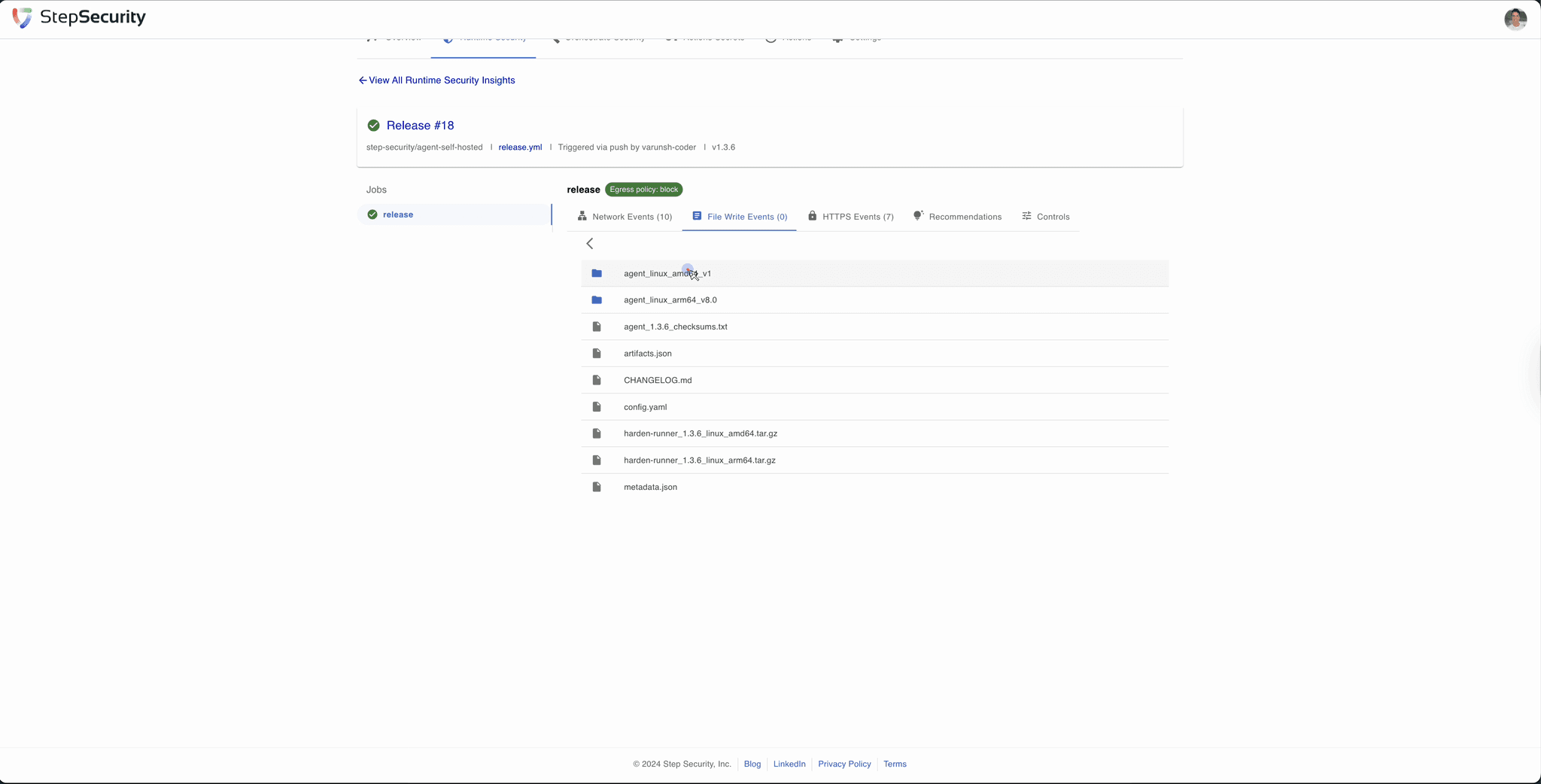
Insights Page Before Redesign
The Initial Plan
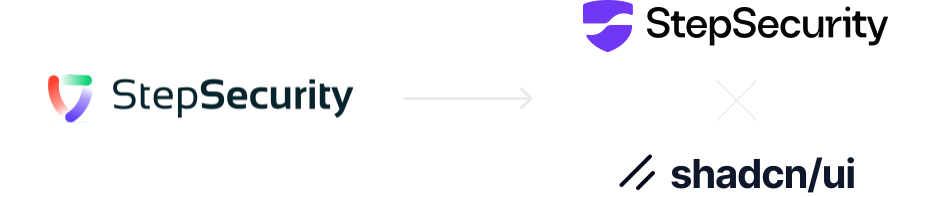
StepSecurity got Rebranded
As the whole org was getting rebranded and the entire platform was being moved to the new design system (ShadcnUI), I saw an opportunity to tackle two things at once:
1
Migrate the Insights page to match the new design system
2
Fix the obvious UX issues while I was rebuilding it
But why redesign?
The old design was built ad-hoc over time, and adding things on top of the old design made it worse. The foundation wasn't built for scale over time.
This page was open source and highly visible, often the first touchpoint for users exploring our product. Redesigning was a chance to build trust, showcase our quality, and drive deeper product discovery.
Research, Audit & First Redesign
Breaking down the old design problems
To understand the issues, I
Analyzed Posthog session recordings to see how users navigated
Interviewed the stakeholders and existing customers
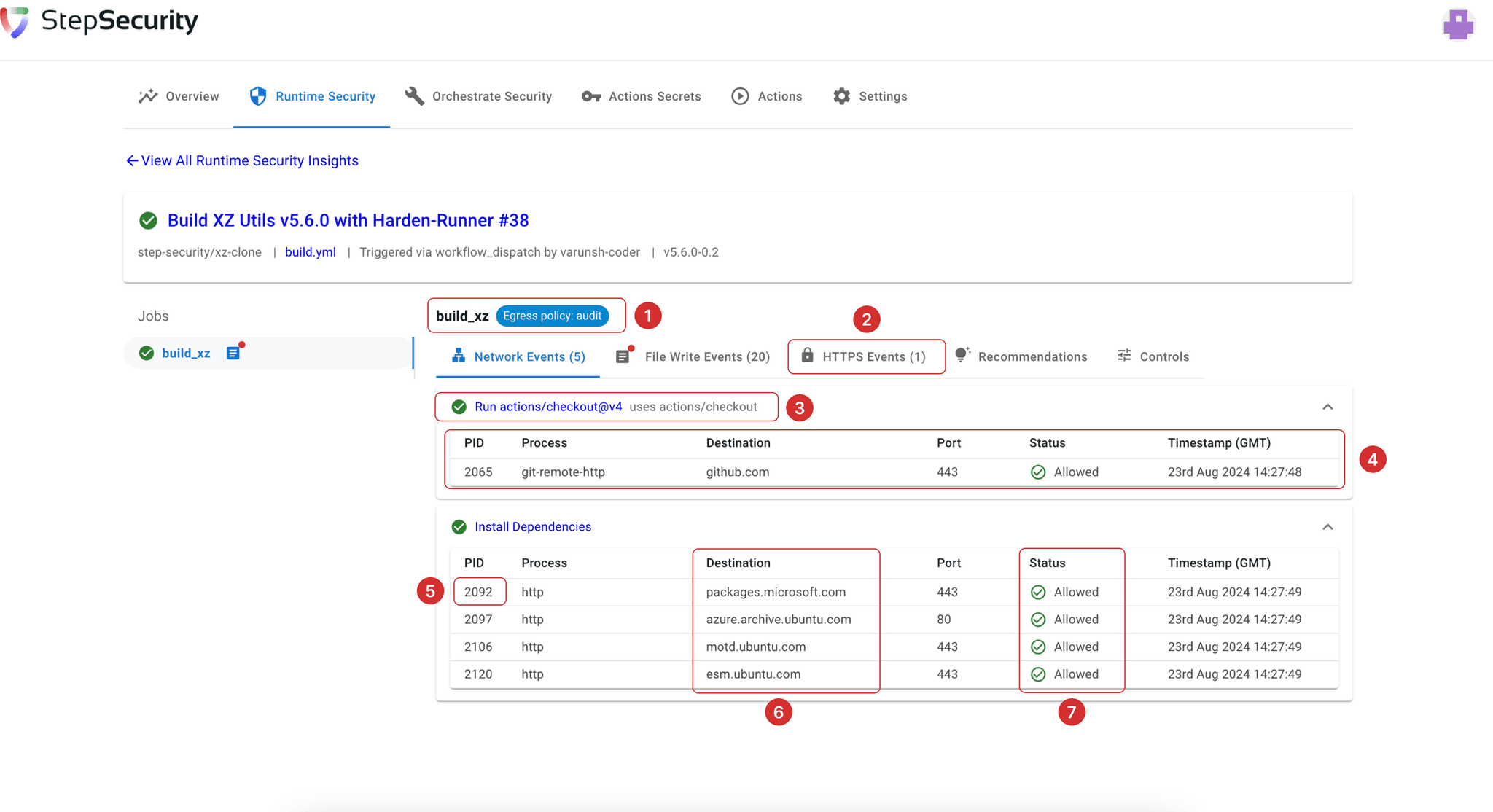
1
Egress policy was shown in all tabs instead of only network events.
2
HTTPS events were tied to the first step but appeared in a separate tab, confusing users.
3
No label or hint that this was clickable, users didn’t know they could take action by clicking.
4
No visual priority for risky actions, hidden under collapsible steps with no context.
5
Clickable item had no visual cue; opened a side drawer showing process hierarchy.
6
Destinations were plain text; hard to spot suspicious domains or external calls.
7
All statuses looked the same ("Allowed" with green checkmarks), making threats hard to detect.
8
No search option to find specific items or events.
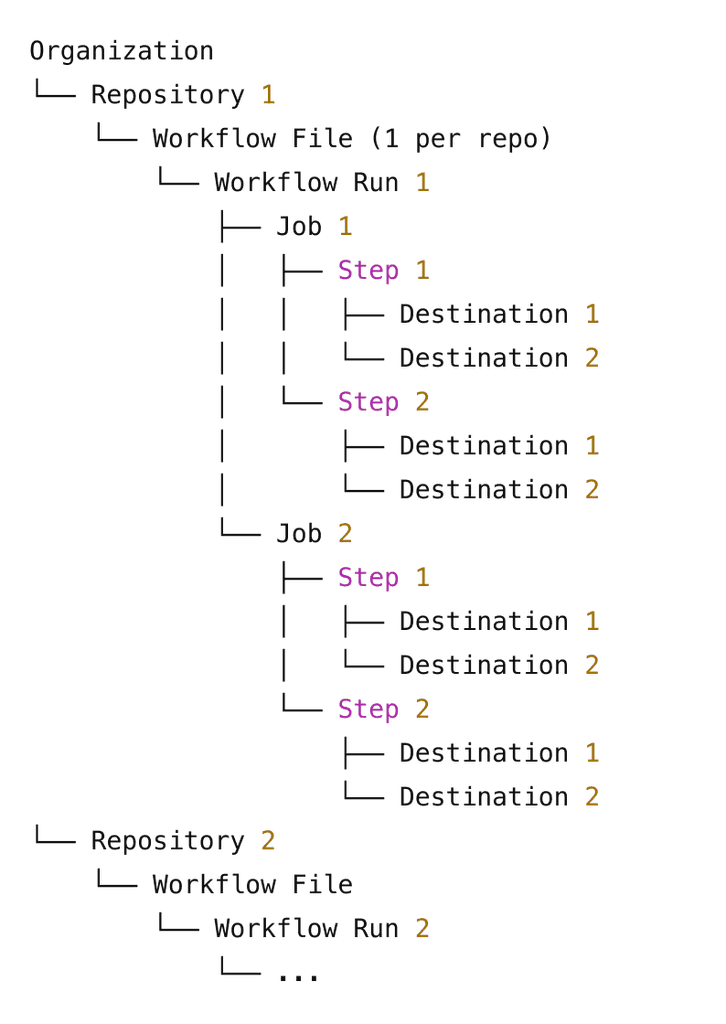
The workflow structure
Layout exploration
After exploring a few layout structures early on, including cards, charts, and more visual summaries. But I chose a table layout for the core event data because it matched how users mentally model CI/CD job runs , they expect rows of structured information that they can scan, sort, and compare quickly.
Tables also made sense for the volume and consistency of the data , each call had similar attributes (job, destination, status, timestamp, etc.), and a table allowed us to preserve this structure while adding hierarchy and visual clarity.
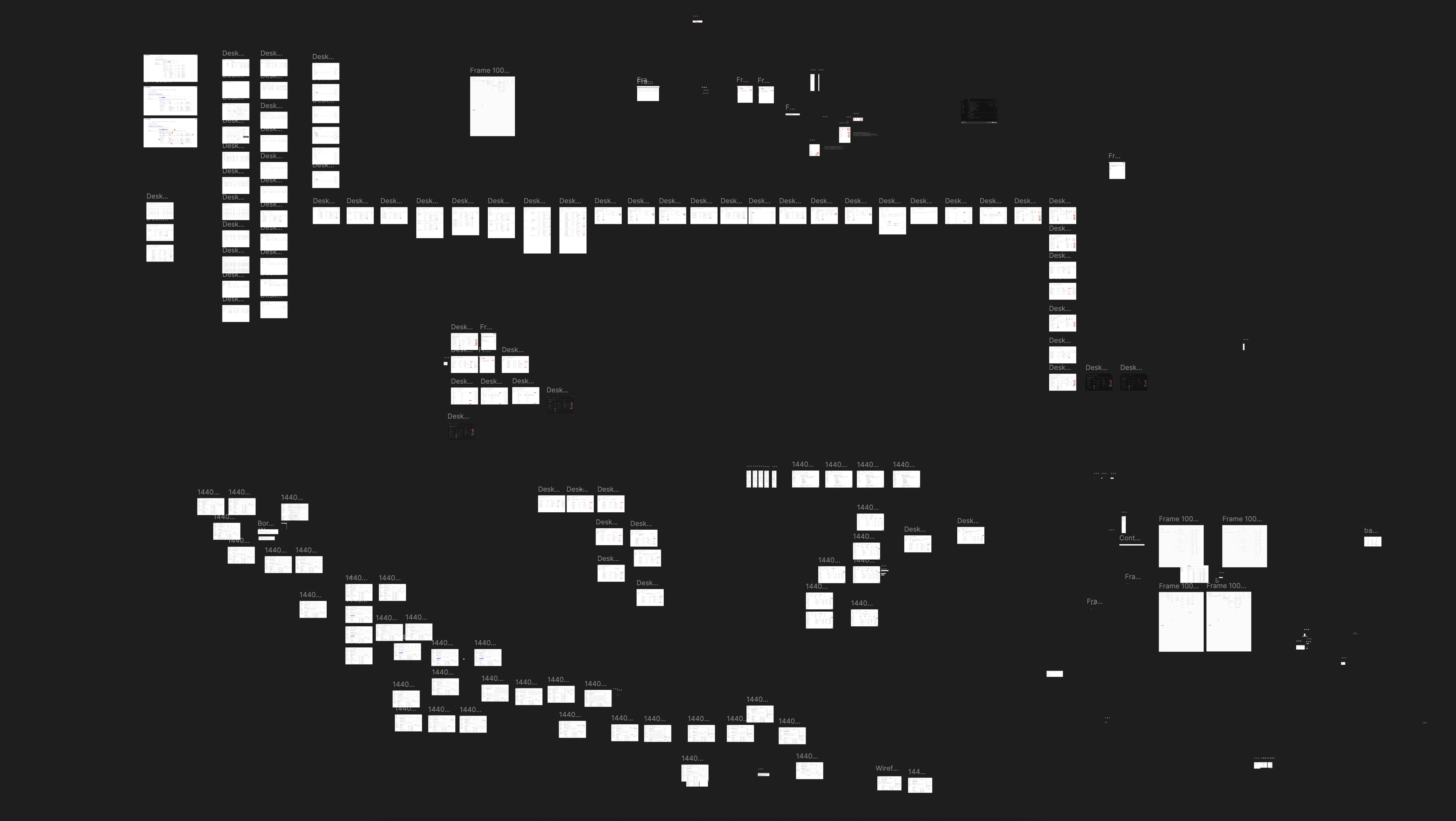
The network and file events tab went through 50+ chotic iterations.
Network Events Tab
Few table iterations for the network events tab
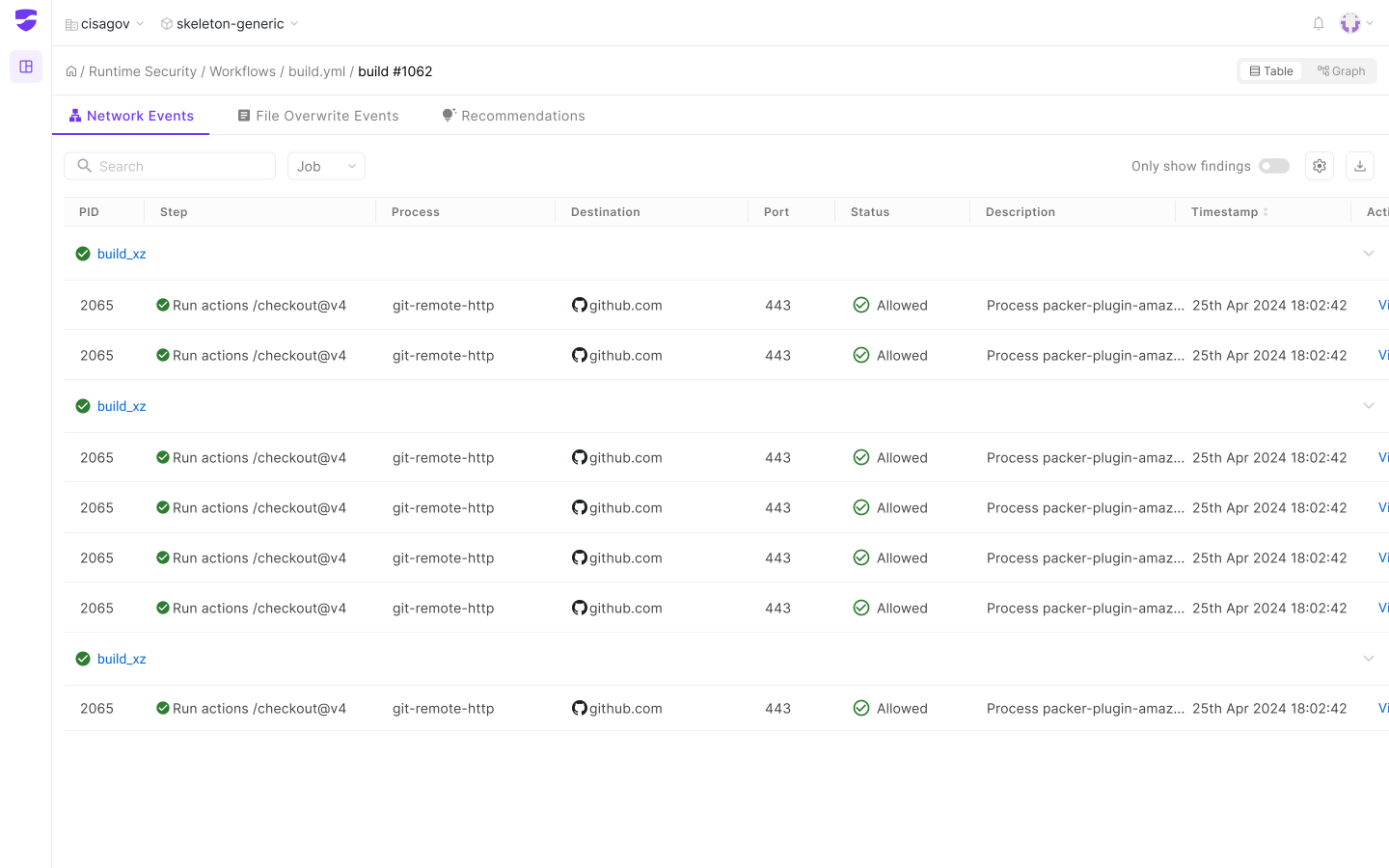
Too noisy and repetitive, the same job and step names were repeated across every row, making it hard to scan.
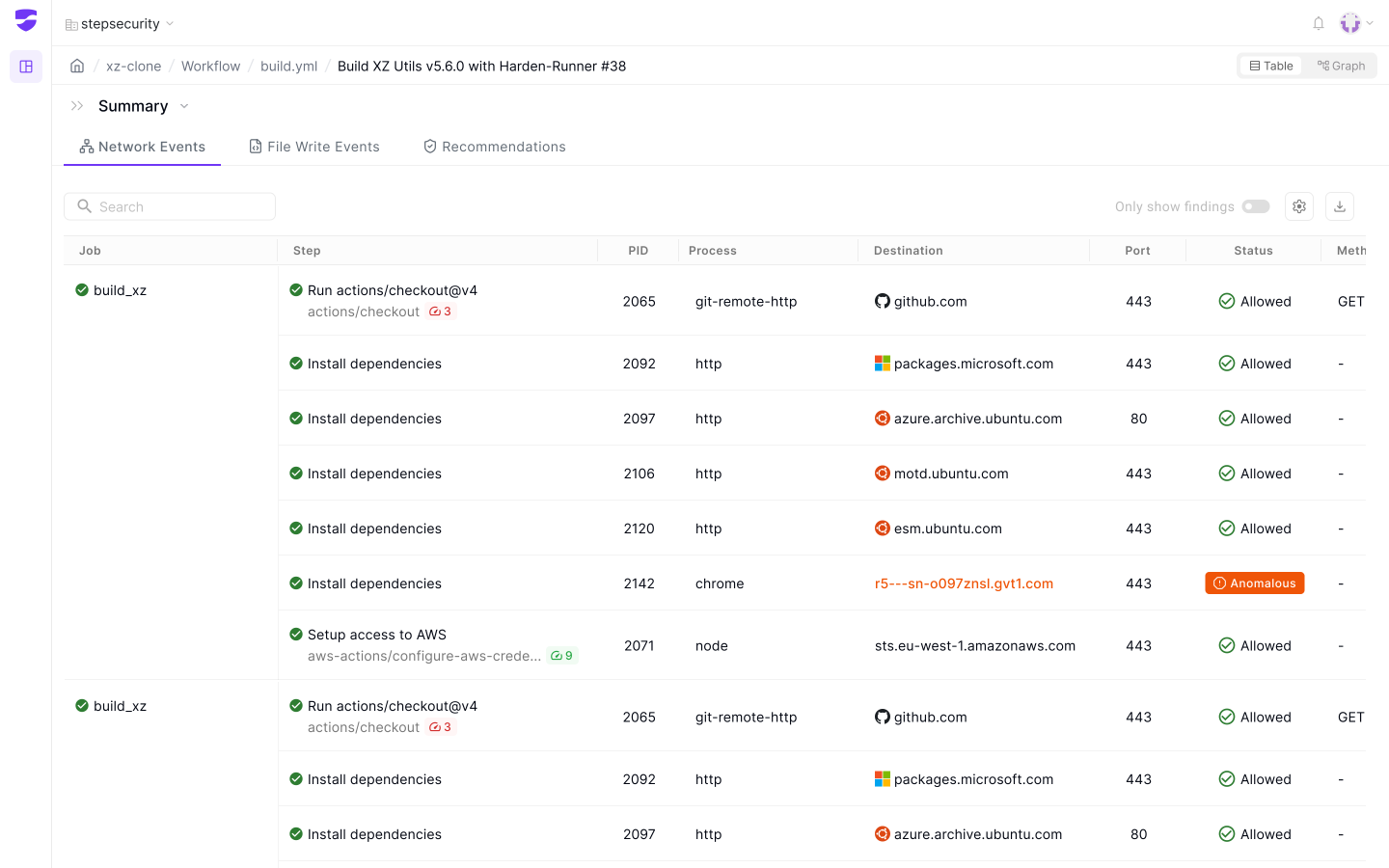
Grouped jobs well, but lacked clear step separation everything blended together, making anomalies or important steps harder to spot.
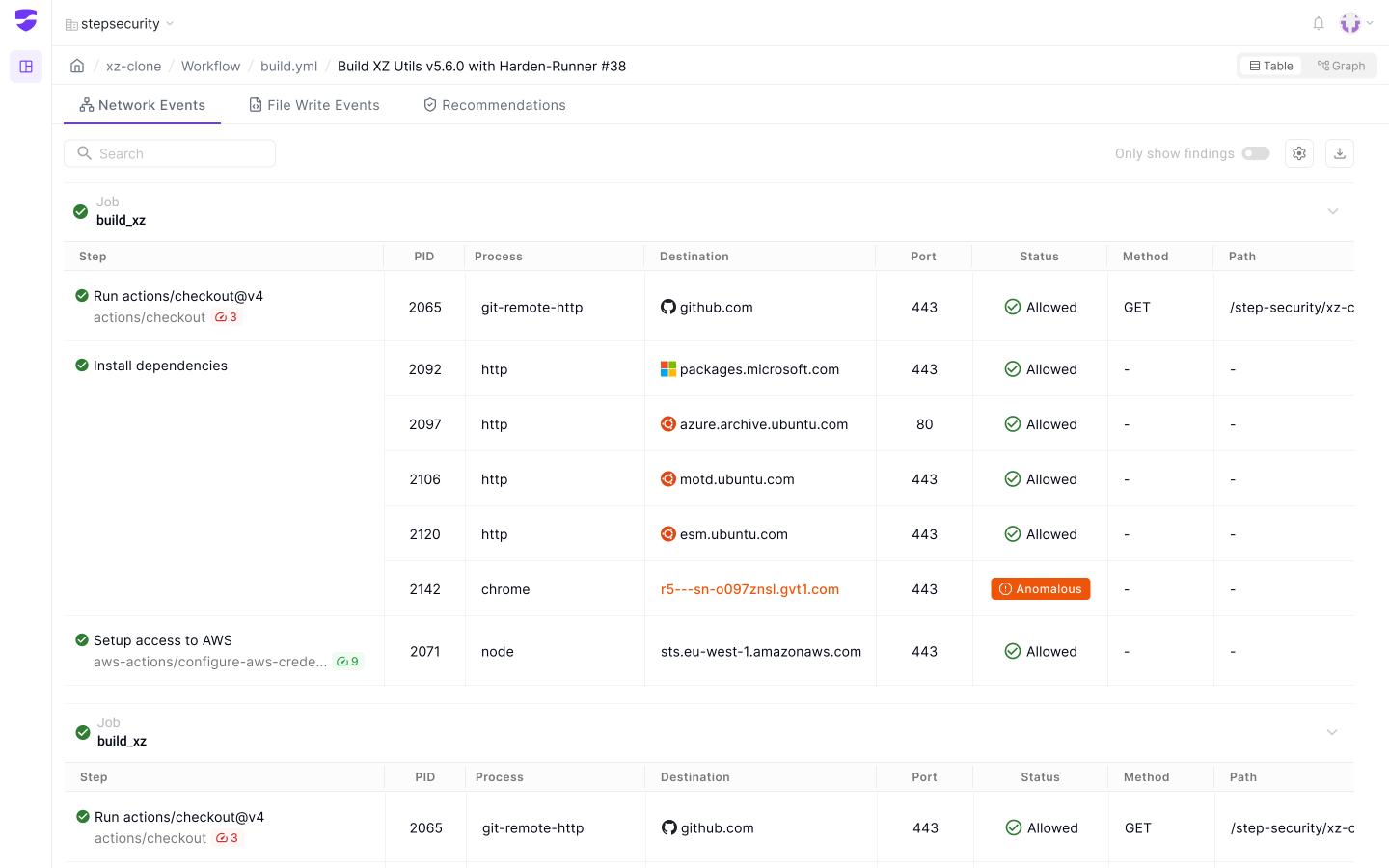
Better hierarchy, but collapsed too much info — made users click around to reveal rows, which hurt speed and usability during debugging.
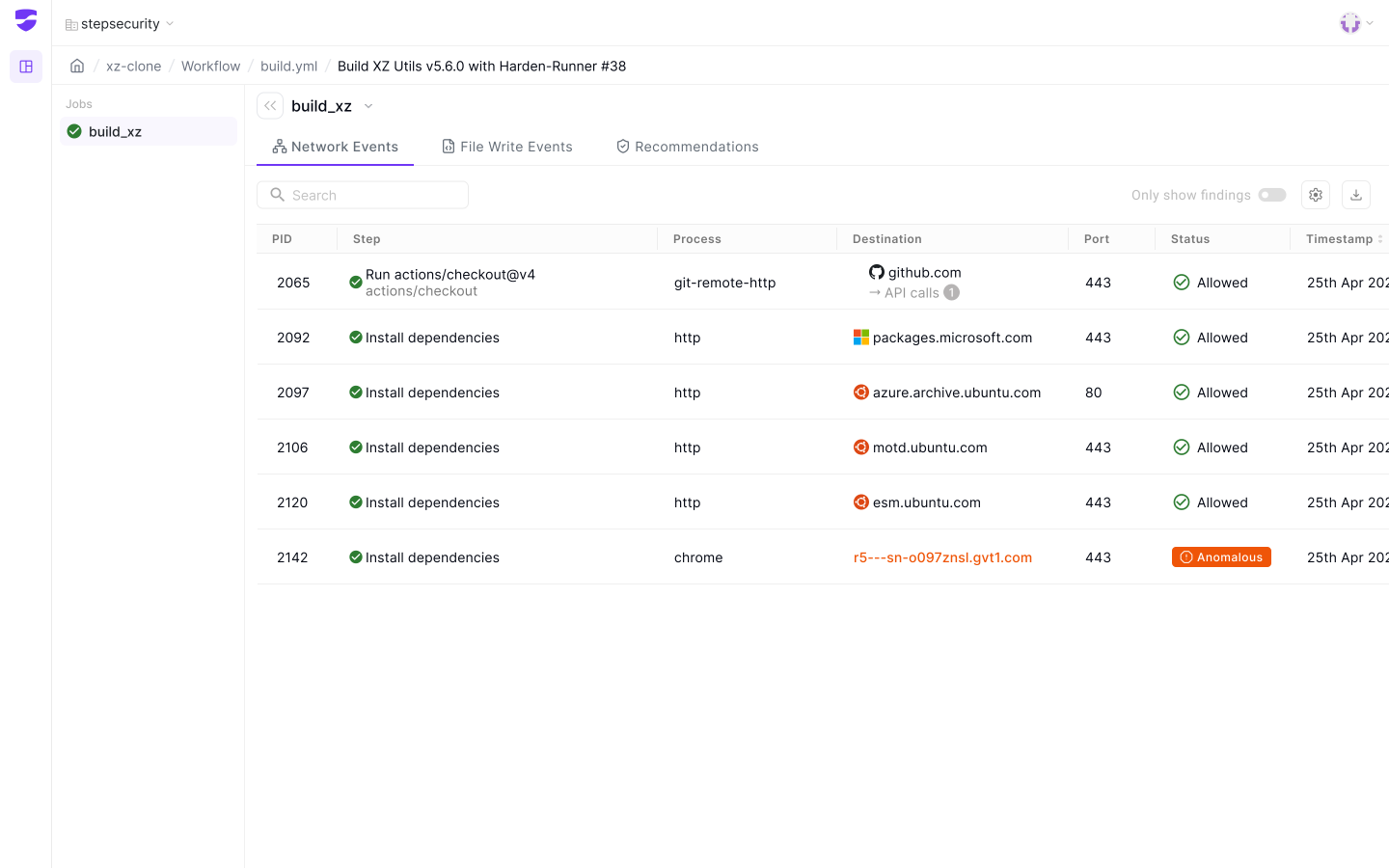
The collapsible left-side job panel made it easy to switch between jobs, and the clean table layout with inline API call info offered just the right amount of clarity without visual noise.
File Write Events Tab
After a bunch of iterations, I moved ahead with the version where we see list of all the files.
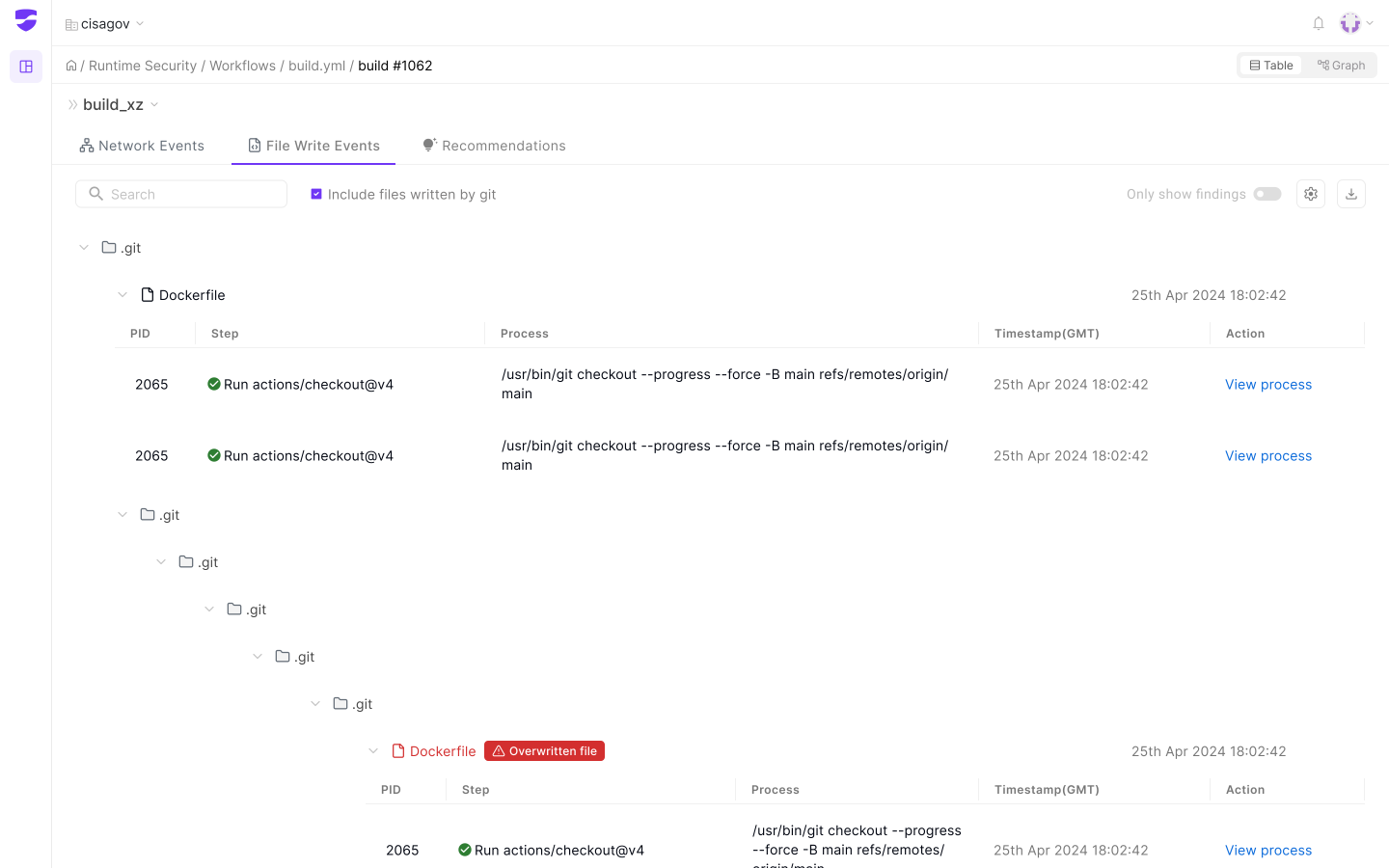
All the info was hidden under a collapsible folder structure, which also required too many clicks, and the space for the table became shorter.
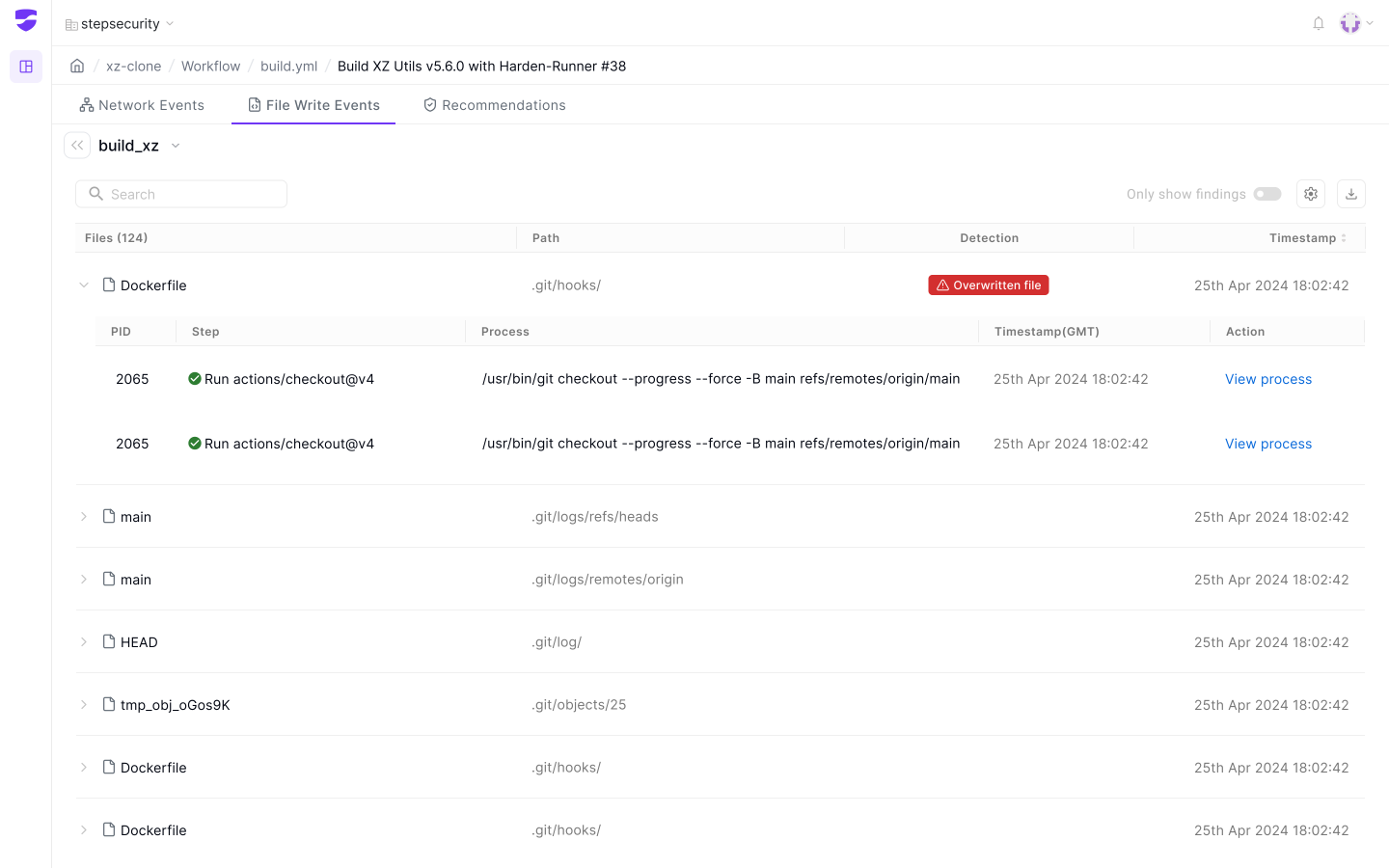
The list view of files with paths looked cleaner, more consistent, and scalable. Files are directly visible with findings, and the process can be easily viewed by clicking on the file.
Customer Feedback
The Reality Check
After the first redesign, we went back to our customers to get feedback on the redesign. Here is what they said
“It's definitely cleaner and more organized... but I still don't know what I should be worried about. I have to scan through everything to figure out if there's a problem.”
Senior DevOps Engineer, Enterprise Customer